Lowrance vs Garmin Fishfinder: How to Choose
A practical, brand-neutral framework for comparing Lowrance and Garmin fishfinders—without assuming one logo guarantees better results.
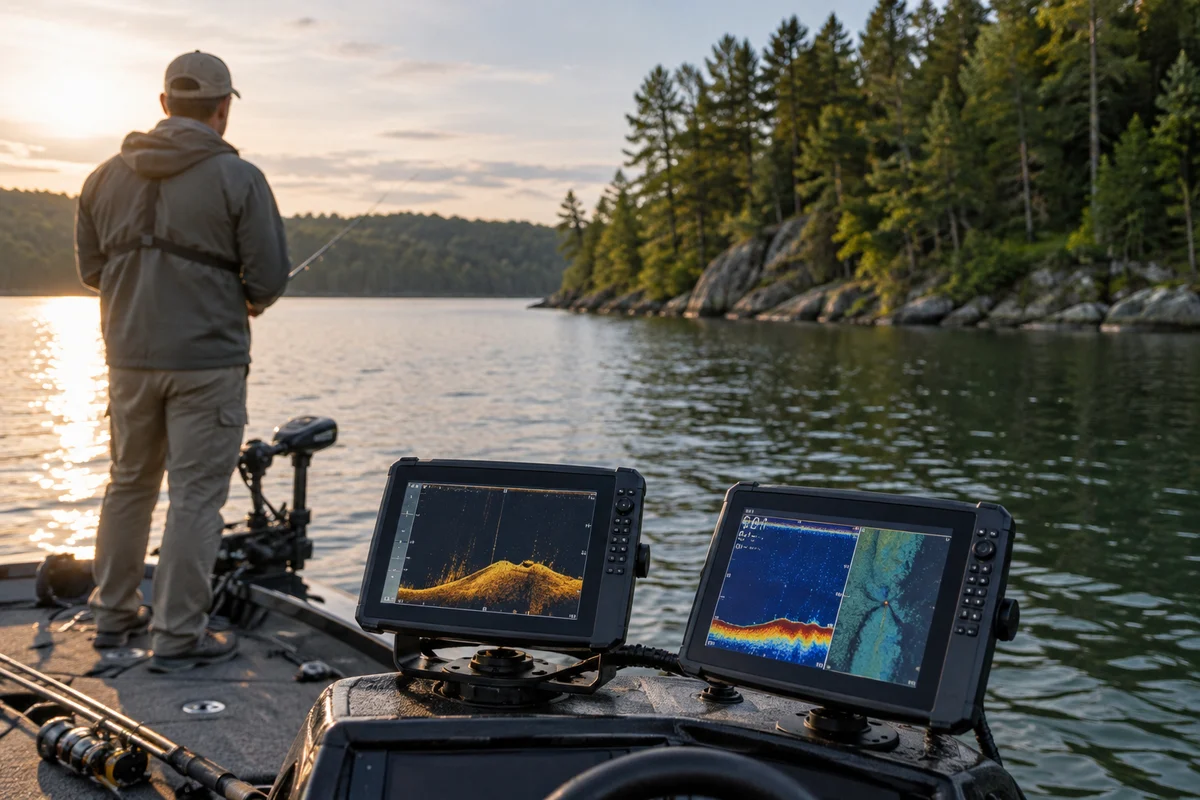
Choosing a lowrance vs garmin fishfinder is less about declaring a universal winner than matching the unit to your water, boat, and fishing habits. Both brands offer a range of electronics, and features vary by model and generation. Before comparing screens or sonar names, decide what you need to see, where you fish, and how much installation complexity you can manage. Then verify each candidate’s current specifications in the manufacturer’s documentation.
Start with the water you fish
A fishfinder that suits a small inland lake may not be the best fit for a large reservoir, river, or coastal trip. Think about typical depth, water clarity, bottom composition, speed, and the amount of structure you search. A shallow pond angler may mostly want dependable depth readings and a clear view of weed edges. Someone mapping a large lake may value chart coverage and the ability to save useful locations. A boat used on mixed water may need flexible display layouts and compatible charts.
Write down three recurring tasks: for example, checking depth while moving, locating submerged structure, and returning to a saved spot. That short list is more useful than a long collection of features you may never use. If fishing methods change seasonally, consider which tasks matter most across the whole year rather than optimizing for one ideal day.
Compare sonar by function, not label
Brand names for sonar modes can make comparison confusing. Start with the underlying job. Conventional sonar is useful for reading depth and interpreting returns beneath the boat. Down-looking imaging can add detail about objects and bottom contours below. Side-looking imaging can help survey areas to either side, depending on the unit, transducer, conditions, and settings.
Do not assume that two similarly named modes produce identical results—or that a premium-sounding label guarantees an easier picture to interpret. Ask whether the exact model supports the sonar view you want, whether the required transducer is included, and whether an existing transducer is compatible. Check the frequency and coverage information in the model documentation, but remember that water conditions, mounting, boat speed, and setup affect what appears on screen.
A useful comparison is a side-by-side list of the exact models, transducers, included charts, and supported connections. Comparing one company’s entry-level unit with another’s advanced model tells you little about the brands overall.
Screen size and controls matter underway
A larger display can make split views easier to read, but it also takes more space, may require a different mount, and can be harder to place where it is visible without obstructing safe operation. Consider viewing distance, glare, polarized sunglasses, the helm layout, and whether you commonly divide the screen among chart, sonar, and other information.
Controls are personal. Touchscreens can make menus and map interactions feel direct; physical buttons or knobs may be easier to operate with wet hands or in rough conditions. Neither approach is automatically best. If possible, handle the specific unit in person or study its current manual and interface demonstrations. Check how quickly you can reach common settings and whether the display remains legible in the light where you fish.
Treat mapping and navigation as a separate decision
Built-in basemaps, optional chart products, and detailed lake or coastal coverage are not interchangeable. Identify the exact lakes or waters you use and check coverage for those locations before choosing a unit. Also confirm whether charts are included, sold separately, or dependent on a subscription or other service; offerings can change, so consult the manufacturer’s current information.
For fishing, mapping can help you understand contours and revisit places, but a displayed chart is not a guarantee of safe depth or current conditions. Water levels, hazards, and navigation information can change. Keep appropriate charts and navigation practices for your area, follow local rules, and do not let electronics replace observation or sound judgment. If you routinely fish unfamiliar water, prioritize clear, verified coverage and a workflow you can use without distraction.
Check compatibility before you commit
Compatibility is where otherwise attractive comparisons often fall apart. Make a checklist for the boat’s power supply, mounting location, transducer placement, existing network components, and any equipment you hope to share. Confirm the exact model numbers and connection standards rather than relying on a retailer’s broad brand-level description. A unit may offer networking options that another model in the same product family does not.
Transducer placement deserves special attention. Hull design, motor location, turbulence, and the mounting position can affect readings. Follow the manufacturer’s installation guidance or consult a qualified marine-electronics installer when the setup is unfamiliar. Avoid drilling or wiring based on assumptions; a poor installation can undermine performance and create avoidable electrical or hull problems.
If you already own electronics, list their model numbers and identify what you want the new display to do: share waypoints, show engine information, or connect to another sensor, for example. Then confirm support for that precise combination. The cheapest route on paper may become less attractive if it requires replacing components or adding accessories.
Compare ownership, learning, and support
A feature-rich screen is only useful if you can interpret it. Consider how easy it is to adjust sensitivity, range, and display views, and whether the instructions make sense to you. Tutorials and manuals should correspond to the exact product generation; menu names and capabilities can differ across model years.
Look at warranty terms, service options, software-update information, and local technical help. These details are more meaningful than generalized claims that one brand is always easier to use. Ask a dealer or installer specific questions about your boat and use case, and request documentation for any compatibility claim. For broader fishing reading, browse more freshwater fishing coverage, including perspectives on lure brands and angler communities and the American Carp Society.
A simple comparison worksheet
Before deciding, put the candidate units side by side and answer these questions:
- Does each exact model support the sonar views you will actually use?
- Is the correct transducer included, and will it work with your hull and mounting plan?
- Are charts for your regular waters included or separately available?
- Can you read and operate the display from your usual position?
- Does it connect to the equipment you already own, if needed?
- Are installation, warranty, updates, and service arrangements clear?
Give the greatest weight to the answers that affect your routine, not to the longest feature list. If two options meet your needs, try the interfaces and compare the total setup requirements. If neither provides verified coverage or compatibility for your boat, keep looking rather than forcing a brand choice.
So, which one should you choose?
There is no reliable brand-wide verdict for Lowrance versus Garmin. The right choice is the particular unit that fits your fishing waters, viewing preferences, transducer requirements, mapping needs, and existing equipment. Model details change, and product names alone do not establish performance. Confirm current specifications with the manufacturer, check chart coverage for your locations, and assess installation before making a decision.
A careful comparison should leave you with a short list of concrete advantages and trade-offs—not simply a favorite logo. Choose the system you can install appropriately, understand on the water, and use safely without distraction.
Frequently asked questions
Is Lowrance or Garmin better for freshwater fishing?
Neither brand is best for every angler. Compare the specific models for your usual waters, desired sonar views, chart coverage, transducer compatibility, and display controls.
Are fishfinders from the two brands interchangeable with existing transducers?
Not necessarily. Compatibility depends on the exact display, transducer, connectors, and supported features. Check both manufacturers’ documentation for the precise model numbers before planning an installation.
Does a fishfinder map guarantee safe water depth?
No. Chart detail and displayed depth may not reflect current conditions, and hazards or water levels can change. Use suitable navigation practices and do not rely on electronics alone.
Sources & further information
Consult these primary sources for current regulations, technical information and local guidance.